Workout guides Rep Pace setup
Rep Pace Timer: How to Use It in Aika
Open Rep Pace in Aika, choose Duration or Reps as your goal, and set Pace in RPM or Sec/rep. Check the calculated target reps or work time, then start. Each cue marks a target rep start; the timer does not count completed movements.
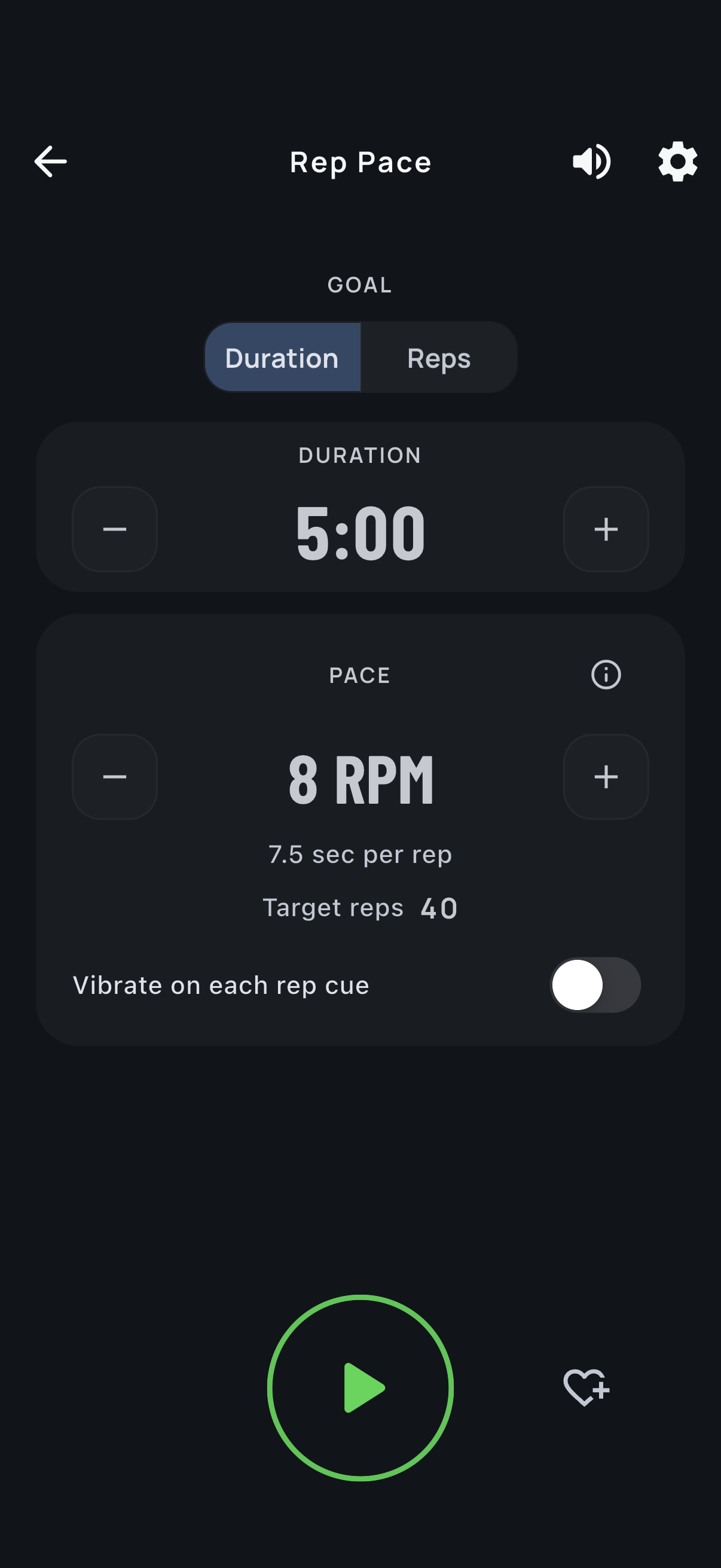
Set a duration goal: 5 minutes at 8 RPM
Planning a different pace? Check RPM, seconds per rep and target reps in the Rep Pace Calculator.
- Open Rep Pace from Aika’s timer list.
- Under Goal, choose Duration and set 5:00.
- Tap the Pace value, choose RPM and set 8. Confirm the picker.
- Check the conversion: 7.5 seconds per rep and 40 target reps.
- Review your preparation countdown and cues, then press Play.
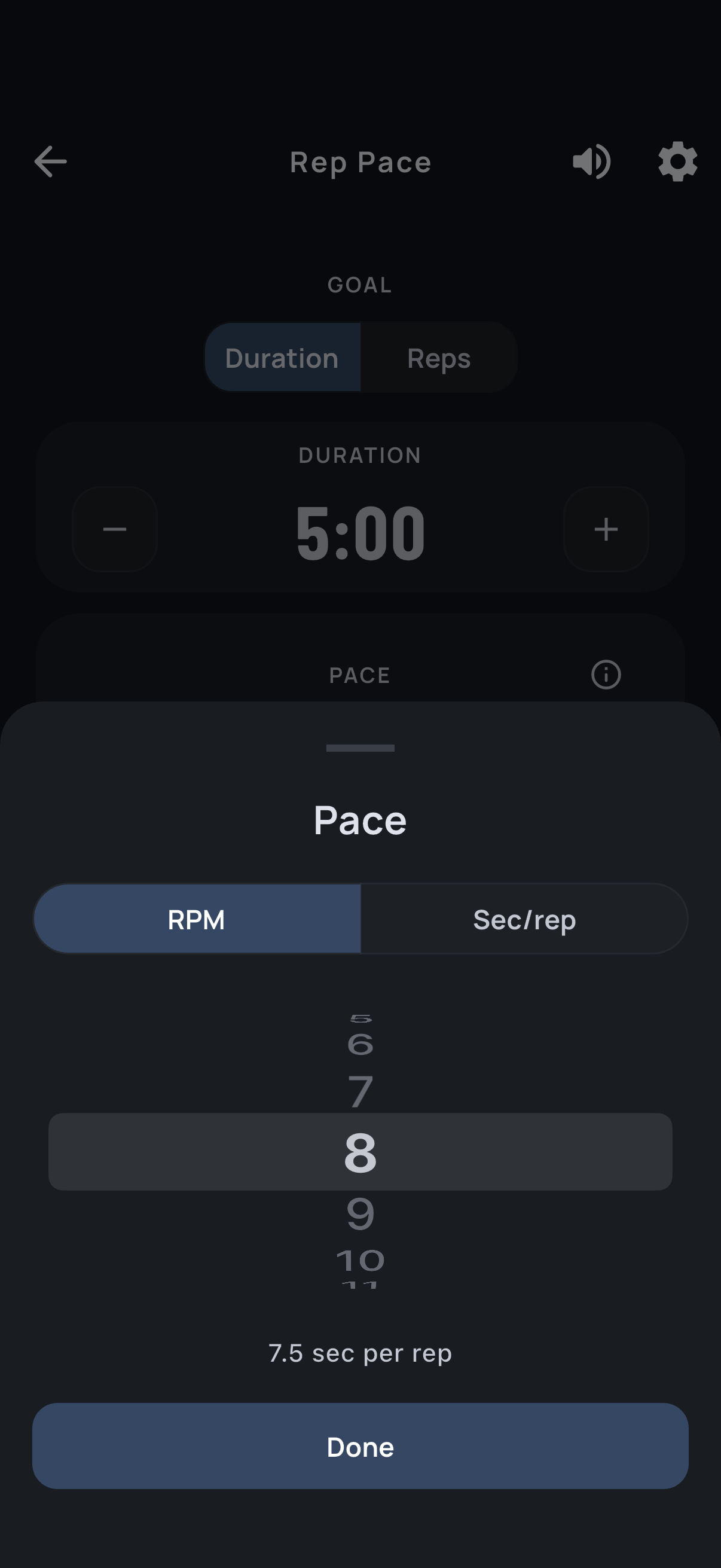
Preparation time comes before the work block. The first target rep starts when work begins; subsequent cues are 7.5 seconds apart.
If the RPM calculation is unfamiliar, start with kettlebell RPM and seconds per rep. The timer sets a schedule; your training plan supplies the exercise and load.
Set a rep goal: 30 reps, one every 10 seconds
Choose Goal → Reps and set 30. Open Pace, switch to Sec/rep, select 10 and confirm. Aika calculates 5:00 of work, equivalent to 6 RPM.
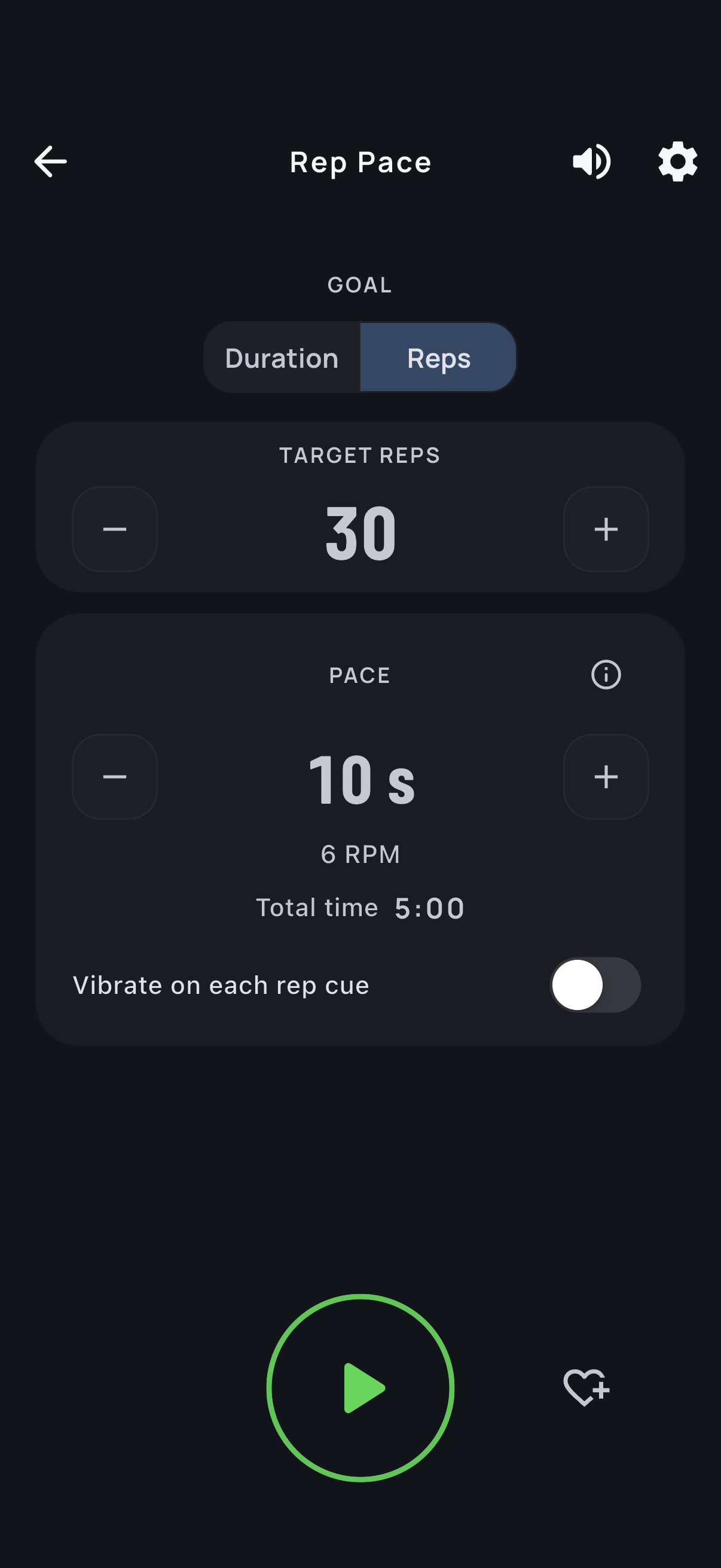
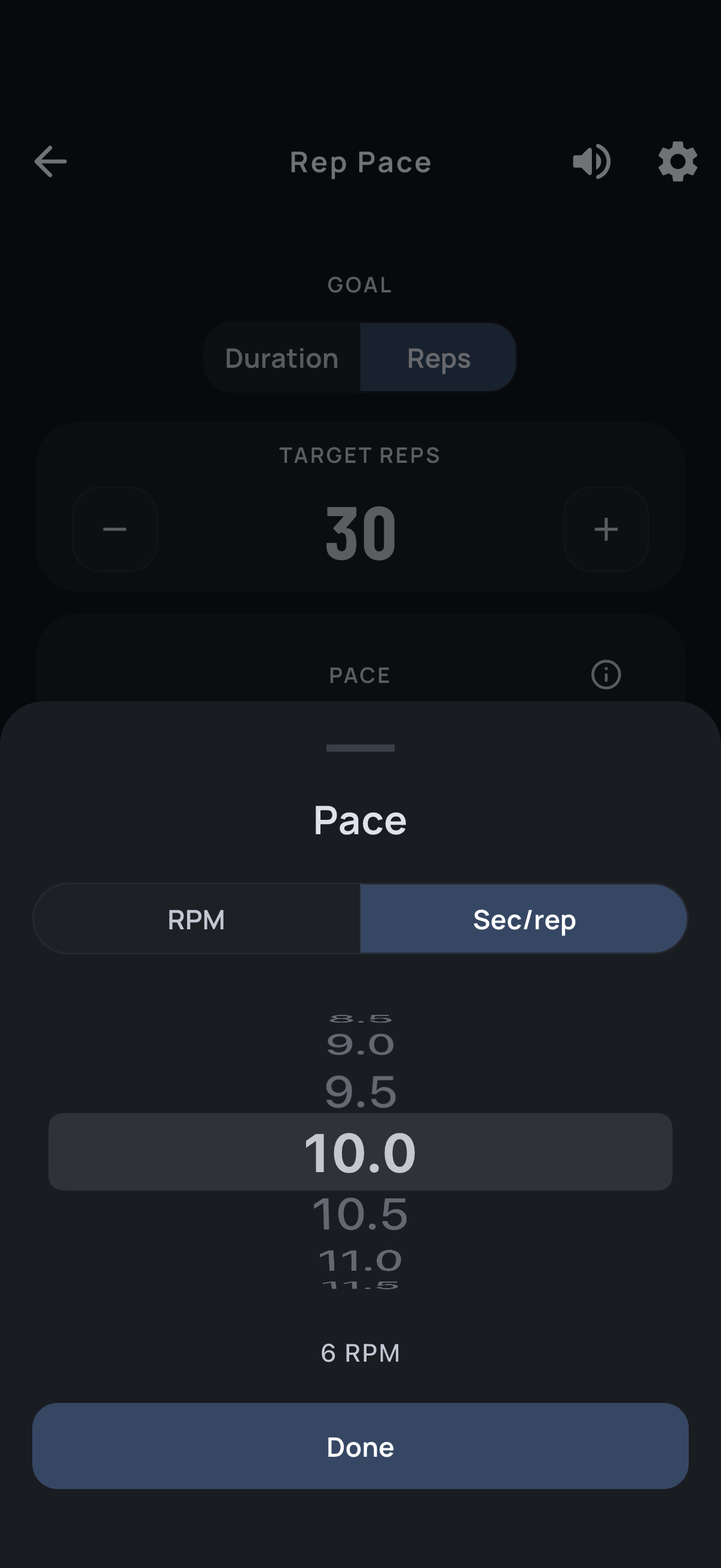
Each rep gets a full interval, including the last one. See the timed-singles timeline for the starts and end signal.
Choose the input unit used by your plan. For 7 RPM, enter 7 in RPM mode instead of rounding it to a seconds value. Merely switching the picker’s unit view preserves the exact pace; selecting a new value changes it.
Read the running Rep Pace timer
- Above the ring: the current target rep and total scheduled reps.
- Inside the ring: the countdown to the next rep cue.
- Below the ring: total remaining work time.
This capture follows the 30-rep example above: target rep 4 / 30, 3 seconds to the next cue and 04:23 remaining.
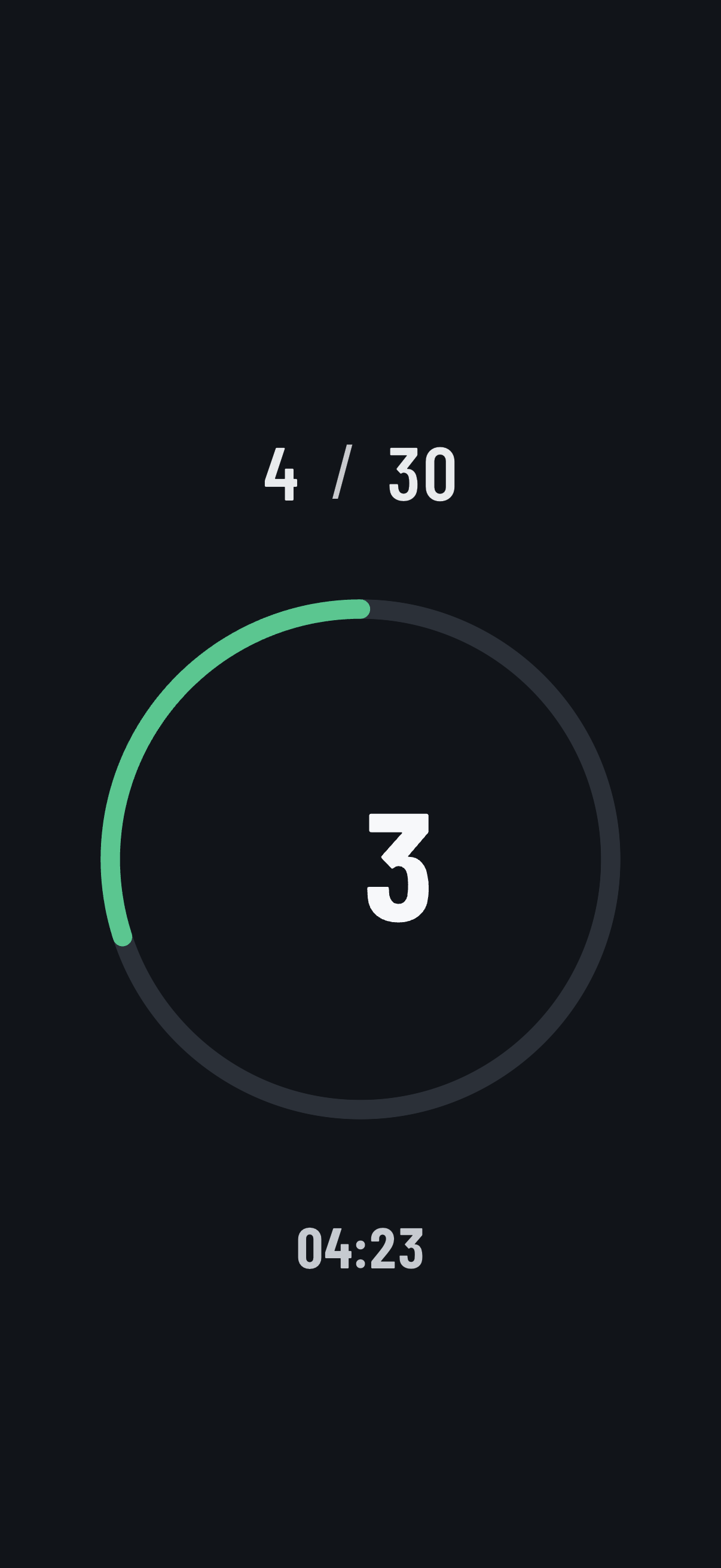
During the final target rep, there is no next rep to start: let the last interval finish. Pause and resume if needed; a pause extends the wall-clock session rather than adding completed reps.
Scheduled reps are not detected reps. The display advances with time even if you skip a movement. Aika does not verify technique or count actual repetitions.
Check the setup before starting
- Wrong rate: check RPM versus Sec/rep. Ten RPM means six seconds per rep; ten seconds per rep means six RPM.
- No audible cue: check your sound settings and device volume with a short trial. Enable Vibrate on each rep cue if you want the optional vibration.
- Cannot start: the goal must allow at least one full rep interval. Work duration is limited to 60 minutes.
- Unexpected target: in Duration mode, a partial interval at the end does not add another target rep.
Rep Pace keeps one steady rate. It does not cue the individual phases of a tempo lift or automatically change the pace partway through a set.
Common questions
Can I enter 7 RPM without rounding to seconds?
Yes. Select RPM in the Pace picker and enter 7. The converted seconds label is approximate, but the timer keeps the RPM you selected. Merely viewing the other unit does not replace the original pace with a rounded value.
Is Rep Pace available without Aika Pro?
The Rep Pace timer, RPM and seconds-per-rep input, and both goal modes are available without Pro. Saving favorites and entering a custom duration follow Aika’s existing Pro access rules.
Can Rep Pace cue the phases of a 3-1-X-1 lift?
No. Rep Pace cues the start of each target repetition. It does not cue the lowering, pause, lifting and final pause separately. Read the strength tempo guide.
Why does the target rep count stay the same if I skip a rep?
The display follows the planned rep schedule, not motion detection. A missed rep does not change the target or delay the next cue. Record completed reps separately from the scheduled target.